
Prompt & Gallery Guide
Guide by seiikai
Locating Prompts
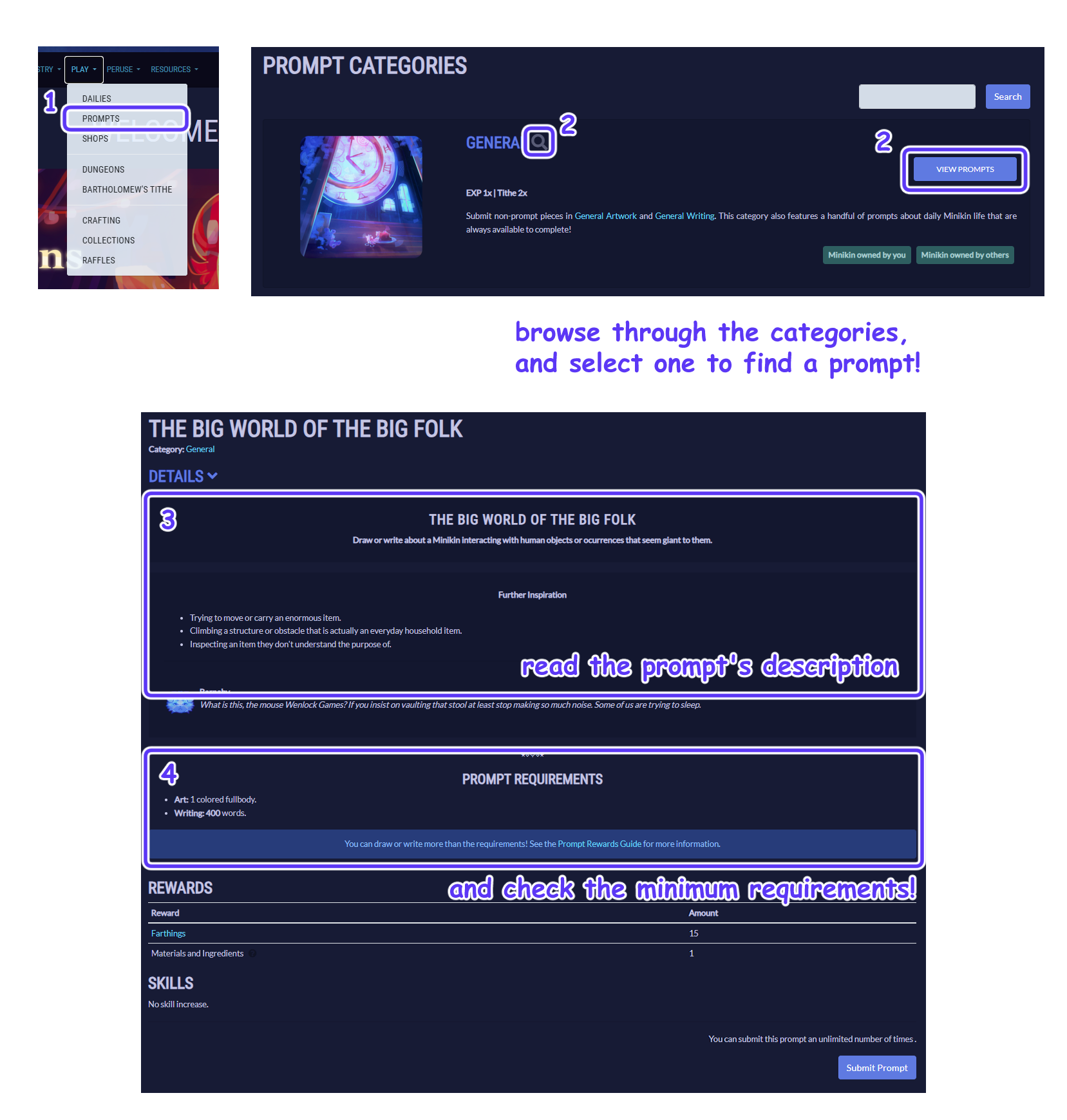
Listed rewards always include the farthing rewards for meeting the minimum prompt requirements.
Once you complete your piece, follow the directions below to upload your image to the on-site galleries. If you prefer to keep your submission private, you can skip over this section and upload your piece to an external hosting site. Please ensure that mods are able to view your submission.
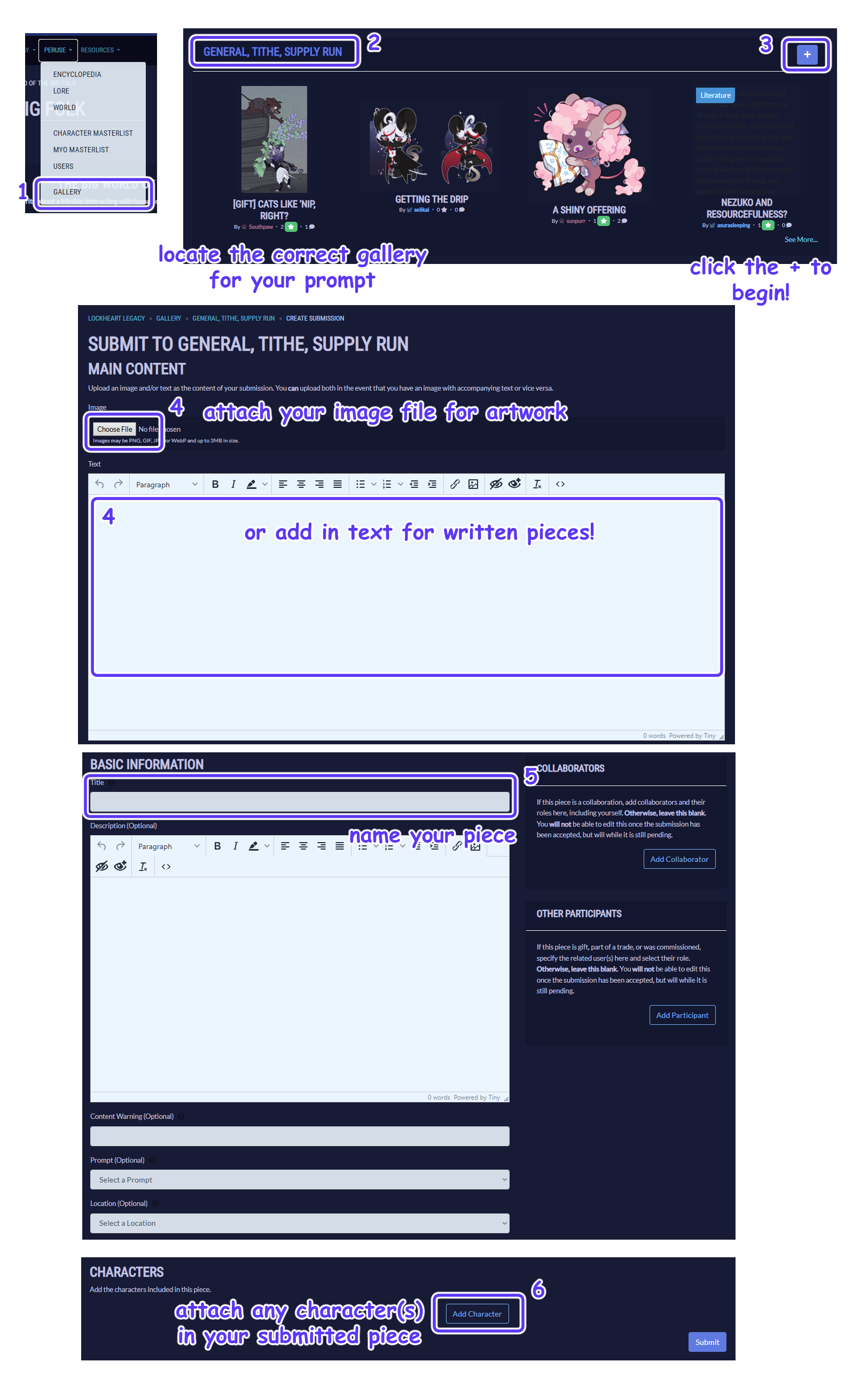
Gallery Uploads
Upload your submission to the correct gallery folder for your prompt. Galleries are named after the prompt’s category!
Submitting Prompts
When submitting a prompt, you may need to include certain information in the comments section.
When completing more than the minimum requirements for a prompt, please list all bonuses you are claiming. You may use the following format, or create your own. Additionally, please list the aspects and planes when claiming background rewards.
Format Template
BASE:
BONUS:
TOTAL:
Example
BASE: 15 farthings (fullbody minikin)
BONUS:
+ 15 (fullbody cat)
+ 30 (complex scene)
TOTAL: 60 farthings
Complex scene
Aspects: thimble, button pile, gear, clock
Planes: foreground wisteria, middleground floor, background window and wall
Some prompts may require additional information to be noted. Please double check the prompt’s description before submitting.
For example: Cat Questlines require you to list the current stage number you are submitting for; Dungeons require you to copy and paste your current encounter’s description.
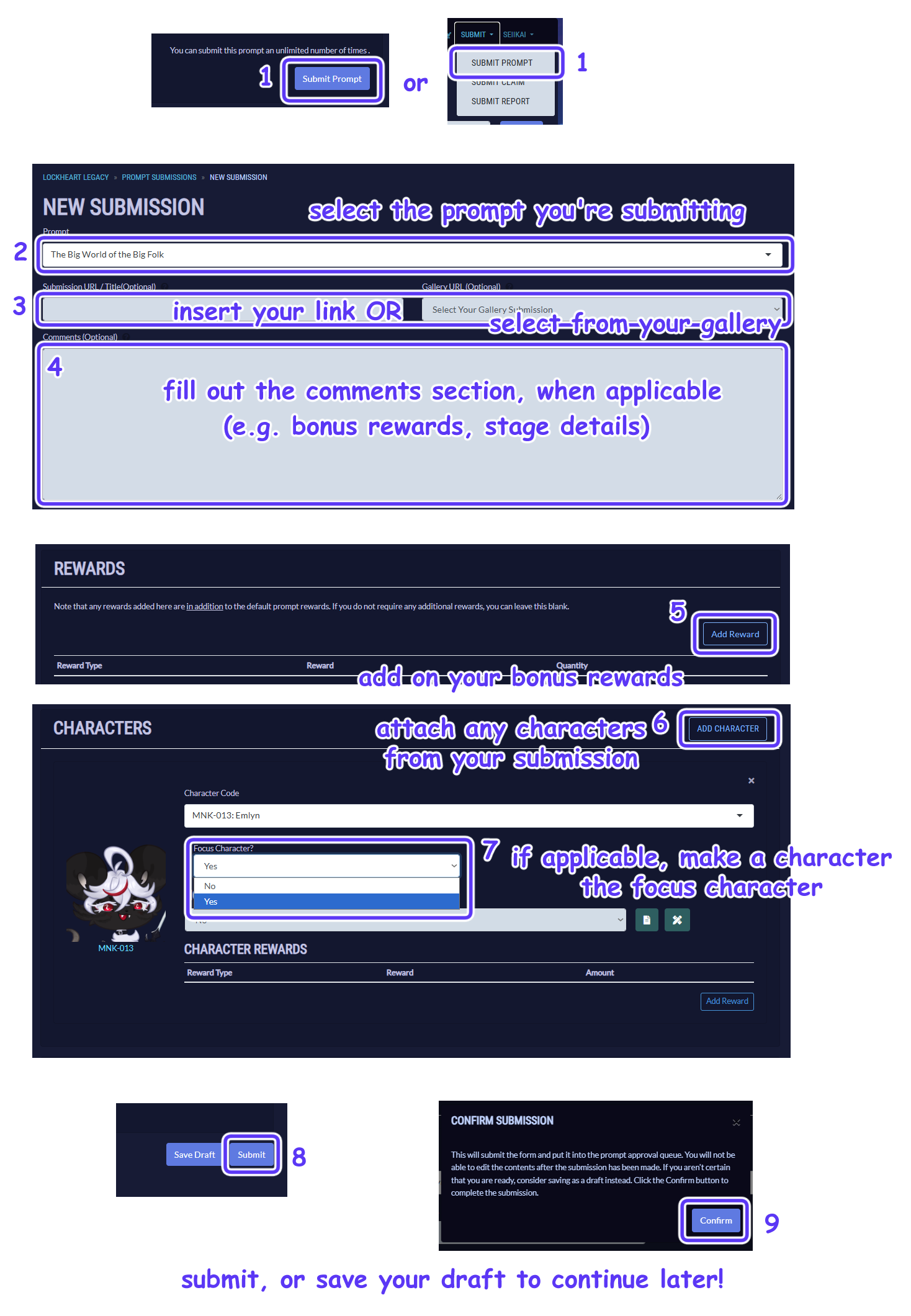
*6 - characters that do not belong to you must have gift art/writing enabled, or you must otherwise have permission from the owner to include them.
*7 - only one focus character may be claimed during submission. This character must be included in the piece, and must be your own character. The focus character will receive all exp points earned from your submission.